Studio Sign-In
Today's workout,
on every screen.
For franchise studios running a weekly program. Runs in the browser on Fire TV, Samsung and LG TVs, laptops and phones.
- 7-day free trial
- No card needed
- Every screen included
- $12.99/month per studio after
Already set up? Sign in with the Google account your studio uses for FloorCast.

Sign in, pick the day, run the session, announce.
Four presses, every class
- 1
Sign in on the TV
Open FloorCast in the TV's browser and sign in with the studio's Google account. Laptops and phones work the same way.
- 2
Today is already there
The day's workout opens ready to go, and the coming weeks are loaded ahead. Pick another day any time.
- 3
Run it from one corner
Warm-up, three supersets and the finisher, every move demonstrated. One corner button walks the whole session.
- 4
Announce in between
When the finisher ends, the TVs turn into your announcement board. Any button brings back the day.
Your studio's board, between sessions.
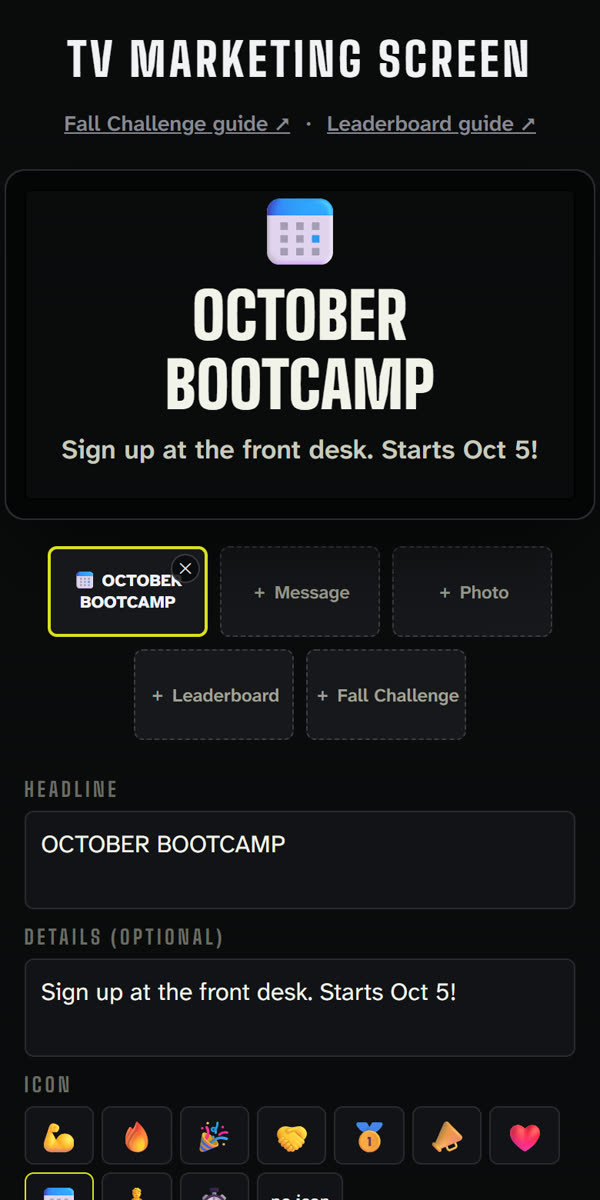
When the finisher ends, or the floor has been quiet for a while, every TV becomes your announcement board. Promote a challenge, a bring-a-friend week or an event without printing a flyer. Any button on the remote brings back today's session.
Type it, or add a photo
A headline and a line of detail, or a picture. Up to three at a time, rotating on their own, sized to be read from across the floor.
Edit from your phone
Tap Edit on any phone or laptop. The preview is drawn exactly the way the TV will draw it.
On every TV within a minute
Save once. Every screen signed in to your studio picks it up on its own.
Leaderboards from a Google Sheet
Challenge standings and stars update on the TVs as you fill in the sheet.
A lobby screen, too
Set any TV to Announcement only and it shows your board all day.


Safe for your studio, simple to trust
No new passwords
You sign in with Google. FloorCast never sees, asks for or stores a password.
Only your studio gets in
Access is limited to your organization's approved accounts. Everyone else is turned away.
The program loads itself
Each new week of workouts arrives on its own. Nothing to download, copy or print.
Built for studio TVs
Fire TV, Samsung and LG TVs, laptops and phones. TVs that can't play six videos at once get one combined video, so every demo plays.
Says when the Wi-Fi is the problem
If the studio's connection drops, this page says so in plain words, instead of a browser error nobody can act on.
Updates itself, never mid-workout
Screens pick up new versions on their own, between sessions. A class in progress is never interrupted.
One price per studio
Every TV, laptop and phone in your studio is included, with every week's program, the announcement board and leaderboards. Try it free for 7 days, no card needed. After that it's one flat price.
- Every screen in the studio, no per-TV fees
- A new program every week
- Announcements and leaderboards
- Cancel any time from Manage subscription
Payments by Stripe. Your card goes straight to Stripe, never to FloorCast.